
Get Good Scores.
(All-In-One AI Software For Students)
🚀 Try GoodScores Free💚 Loved by 20,000+ students around the world
About GoodScores
Try GoodScores FreeGet Good Scores. GoodScores is the All-In-One AI Software For Students, loved by 20,000+ students around the world 💚.
 ▶
Watch on YouTube
▶
Watch on YouTube
17 powerful AI tools unified in one seamless workspace — no more juggling apps between note-takers, flashcard makers, and chatbots.
Features
17 powerful AI tools unified in one seamless workspace.
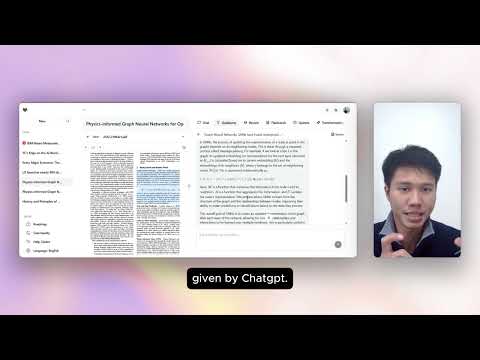 ▶
Watch on YouTube
▶
Watch on YouTube
- 01. Live or Audio Files → Notes
Pay more attention and engage more during lectures without rushing to write notes.
- 02. YouTube or Video Files → Notes
Save time from watching long video tutorials while getting a better understanding.
- 03. Word / PDF / PowerPoint → Notes
Save time from reading long lecture slides and focus on the important parts.
- 04. Different Note Styles
Select the style you prefer — detailed, summary, list, or others.
- 05. Translation
Translate to the language you understand most — Malay, Thai, Chinese, English, and more.
- 06. Flashcards & Quizzes
Active recall on key points and test your understanding on various topics.
- 07. Chat with Sources & Notes
Get instant answers on anything you don't understand — with source references.
- 08. Journal & Article Semantic Search
Find papers for your research and assignments 95% quicker than keyword search.
- 09. Side-by-Side View
View and interact with your sources side by side — no switching tabs, even under deadline stress.
- 10. Personal Knowledge Hub
Every output is generated only from your uploaded sources, so answers stay accurate and won't hallucinate.
- 11. Inline Feedback & Explanations
Highlight any sentence or paragraph for detailed feedback, instead of one general explanation.
- 12. Auto-Detection on Hard Topics
Automatically identifies difficult topics in your sources and generates explanations.
- 13. Spaced Repetition
Improve long-term memory through scheduled review intervals, preventing forgetting.
New Features
 ▶
Watch on YouTube
▶
Watch on YouTube
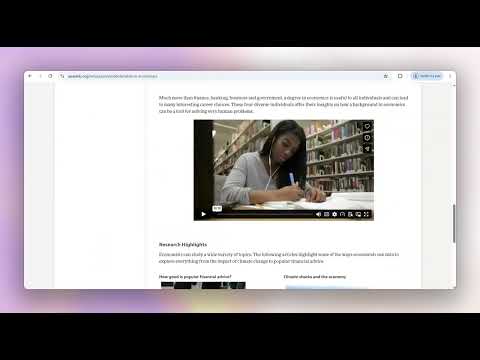
- 14. Auto-Import Web Sources
Send any webpage straight into GoodScores with one click via our browser extension — it becomes a source instantly, no copy-pasting needed.
- 15. Focus Mode Website Blocker
Temporarily block distracting sites like YouTube, Netflix, and social media during study sessions, so you stay locked in until the work is done.
 ▶
Watch on YouTube
▶
Watch on YouTube
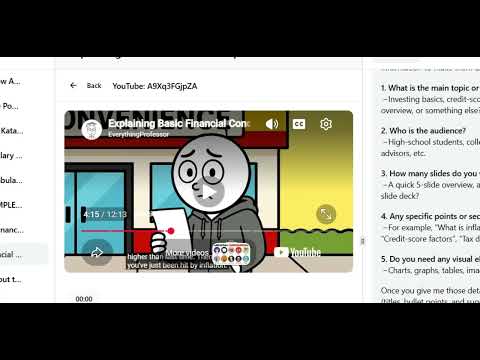
- 16. Image to Notes
Snap a photo of a whiteboard, textbook page, or handwritten notes and instantly turn it into clean, organized digital notes.
- 17. Create PowerPoints
Automatically build presentations from your uploaded source materials.
How are we different than the others?
01. Compared to other learning tools
We are an All-In-One Platform that delivers a seamless experience for students. Unlike fragmented tools that focus on single functions — example only quizzes, YouTube summarizers, or audio-to-text apps — forcing students to juggle multiple platforms that becomes costly and hard to manage.
02. Compared to ChatGPT & Gemini
We support:
| We support | GoodScores | ChatGPT & Gemini |
|---|---|---|
| 1. Live audio, audio and video files. | ✓ | ✗ |
| 2. YouTube video full transcription. | ✓ | ✗ |
| 3. Flashcards and quizzes. | ✓ | ✗ |
| 4. Source referencing. | ✓ | ✗ |
| 5. Automatic notes transformation. | ✓ | ✗ |
| 6. Find more reliable journals as we search only on reliable research databases instead of the "open web". | ✓ | ✗ |
| 7. View source and AI outputs side-by-side. | ✓ | ✗ |
| 8. Paragraph or sentence level explanations/feedback of the uploaded source instead of a one-page general explanation/feedback. | ✓ | ✗ |
| 9. Auto detection on hard topics and provide explanations. | ✓ | ✗ |
| 10. Spaced repetitive. | ✓ | ✗ |
| 11. Default AI output languages. | ✓ | ✗ |
| 12. Multimodal AI for better outputs. | ✓ | ✗ |
| 13. AI responses are based on your uploaded sources only, which acts as your "personal knowledge base", providing accurate, reliable, and highly personalized learning while minimizing the risk of hallucinations. | ✓ | ✗ |
| 14. Focus Mode Website Blocker. | ✓ | ✗ |
| 15. Auto-Import Web Sources via browser extension. | ✓ | ✗ |
Standard
RM30/mo
One-off purchase
- 50 hours of audio processing
- 50 hours of video processing
- Upload 1000 pages of documents
- Unlimited translation
- Unlimited note styles
- 500 flashcards & 500 quizzes
- Unlimited chats with sources & notes, with references
- Unlimited journal semantic search
- Unlimited inline feedback & explanations
- Unlimited hard-topic detection
- Unlimited spaced-repetition review
- Unlimited PowerPoint creation
- Unlimited Auto-Import Web Sources
- Focus Mode Website Blocker
Enterprise
Custom
Standard (cancel anytime)
- Everything in Standard Plan
- Higher limits
- Affordable pricing
What students say about us

"After using GoodScores, it helps me revise the lecture notes faster than before and is user-friendly to me." — Ang Zhong Kiat, UTAR, Computer Science / President of UTAR Computer Science Society

"GoodScores has helped me save hours on study prep by instantly turning audio, videos, and slides into clear notes. Learning feels much faster and clearer than ever 🤩." — Kisshore Nair, Universiti Malaya, Computer Science Student

"It was easy to use, easy to find commands and the aesthetics is also pretty and minimalist. One of the best study tools as a college student." — Isabella Yoon, Sunway University, Foundation Student

"The side-by-side view makes my study process much easier, better design experience than ChatGPT." — Sharul, UKM, Islamic & Philosophy Student

"I'm having finals a few weeks ago, and the app was sooooo useful with its shortened notes and module tests!!! Love how fast new features were added after listening to feedback. W app for sure!!" — Xin Qing, Universiti Malaya, Foundation in Science Student
Case Study — Anis, Universiti Malaya
"All the features have really helped me a lot with my studies. I especially love the inline explanation and feedback features, which have helped me complete my assignments. I also like the way the software is designed, integrating many features into one place to make my learning more seamless 💕💕"


Anis' Universiti Malaya Transcript
Bachelor of Early Childhood Education
| Module | Credit | Grade |
|---|---|---|
| Technology in Language Learning | 2 | A |
| Digital Technology and Innovation in Teaching | 3 | A+ |
| Leadership and Early Childhood Management | 3 | A |
| Teaching Strategy and Programme Planning II | 3 | A |
| Policy and Legal Literacy in Early Childhood Education | 3 | A |
| Industrial Orientation for Special Education | 3 | A- |
| Early Childhood Education Research Project | 3 | P |
As Seen on Instagram
What languages does GoodScores support?
GoodScores detects and works with over 100 languages spoken in lectures, including English, Malay, Thai, Chinese, Japanese, Indonesian, Portuguese, Dutch, and more.
What is the maximum duration supported for one audio/video?
Unlimited.
Does it work on mobile?
Yes. You can use it on your laptop and mobile simultaneously.
Is the payment secure?
Yes. We use Stripe to process payments. If you're in Malaysia, Thailand, Singapore, or the Philippines, you can also purchase via Shopee.
What's next after my payment?
You'll receive a unique code in your Shopee Chatroom, or in your email inbox, after payment is made.
Can I get a refund?
Yes — refunds are available within 30 days of purchase.
Earn with our Affiliate Program 💰
Get in touch. Let's grow together!
- Fill up the affiliate form. We'll send you an affiliate link people can buy from.
- Create & share. Promote GoodScores across TikTok, Instagram, YouTube, X, Discord, Reddit, and more — blogs, reviews, demos, or just tell your campus clubs and friends.
- Get paid 🤩. Earn a 30% recurring commission for 6 months on every new subscriber who buys through you.
✅ Thanks! We'll be in touch about your affiliate link.
Get Good Scores.
Loved by 20,000+ students around the world 💚.
Submit your email and our team will contact you as soon as possible.
✅ Thanks! Our team will contact you as soon as possible.
🗑️ Not actually empty — a little motivation for your study session.

"Imagination is more important than knowledge."

"Education is the most powerful weapon which you can use to change the world."

"One child, one teacher, one book, one pen can change the world."

"You may encounter many defeats, but you must not be defeated."

"The only way to do great work is to love what you do."
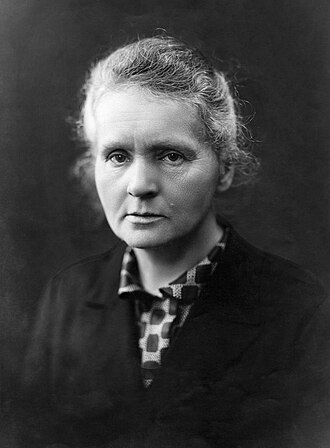
"Nothing in life is to be feared, it is only to be understood."

"Success is not final, failure is not fatal: it is the courage to continue that counts."

"It does not matter how slowly you go as long as you do not stop."

"The future belongs to those who believe in the beauty of their dreams."

"I've failed over and over and over again in my life, and that is why I succeed."